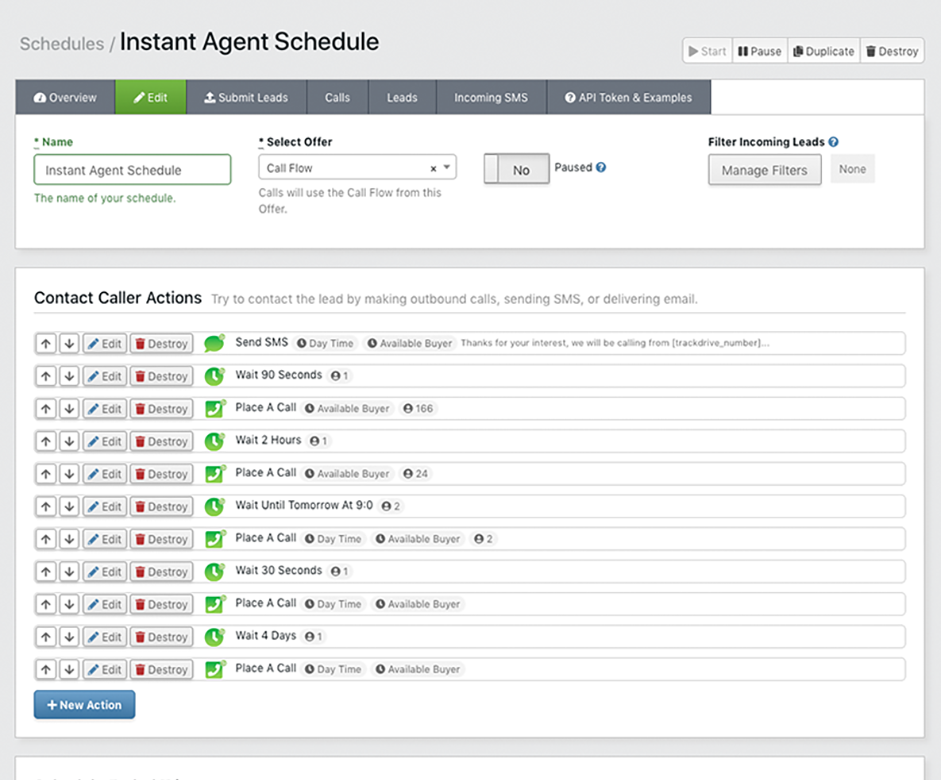
Automated Lead Follow-Up Example
One example sequence — mix and match any of the schedule actions below.
Turn web forms into live phone calls. Lead Automation contacts every lead the moment it arrives — sending SMS and email, then placing outbound calls — with multi-step workflows that run automatically.
Socialized Media, a Facebook advertising agency, sends each new Facebook Lead to TrackDrive in real time. An SMS and email go out immediately, and the IVR dials the lead minutes later — retrying automatically if there's no answer.
Schedule Actions
Each schedule is an ordered list of actions that execute automatically for every lead. Available action types include:
- Call — place an outbound call to the lead using the offer's IVR
- SMS — send a text message with token-replaced content
- Email — send an email via your connected email integration
- Wait — pause for a configurable duration before the next action
- Webhook — fire a webhook to an external system
- Add to Schedule — move the lead into another schedule
- Update Field — modify contact field values on the lead
- Conditional — conditionally exit the schedule based on token values or expressions
Build a schedule visually. Drag actions into an ordered follow-up sequence for every lead.
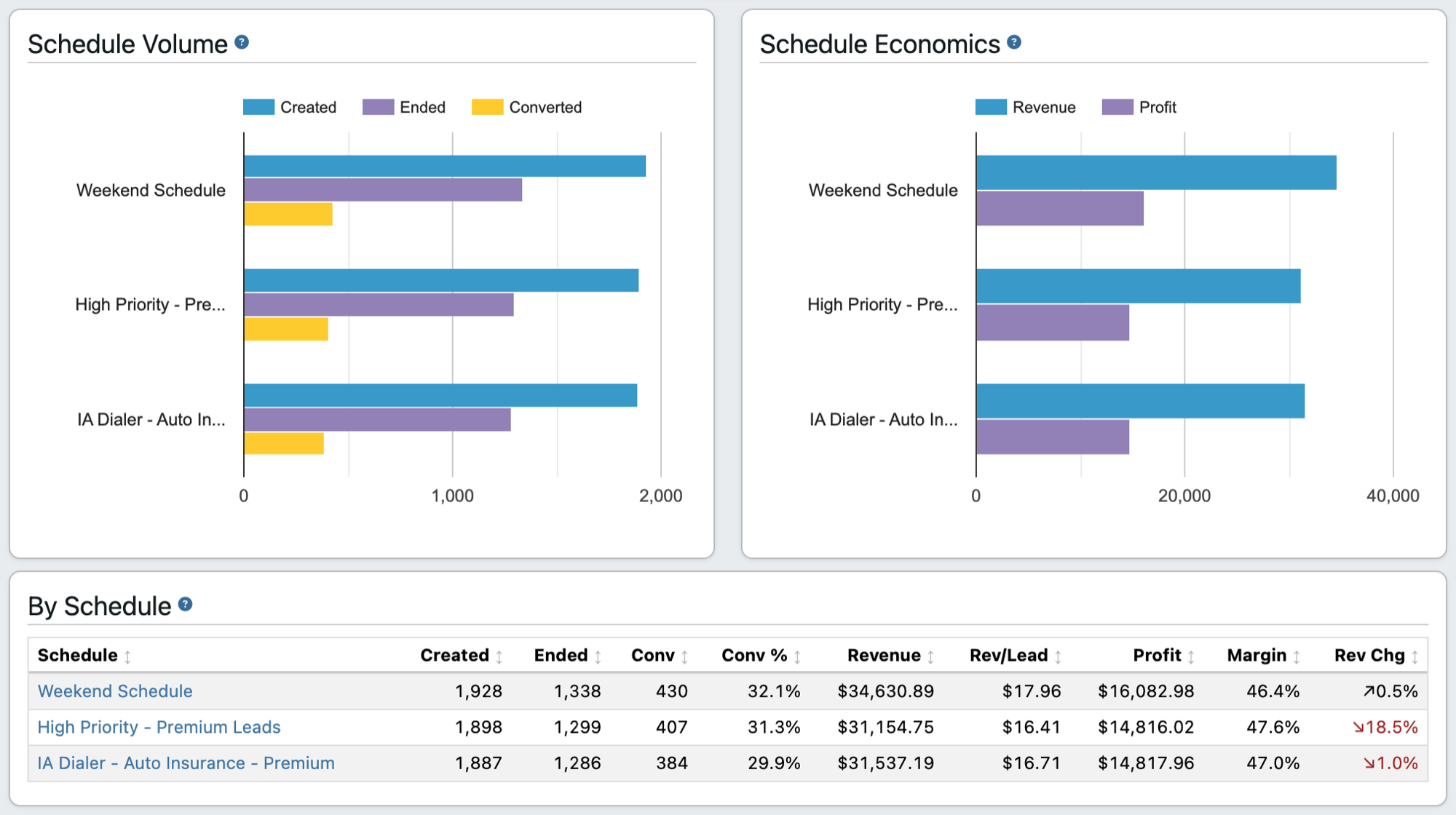
Every schedule, measured. Leads created, ended, and converted, with revenue and profit for each automated sequence.
Measure Every Lead in Real Time
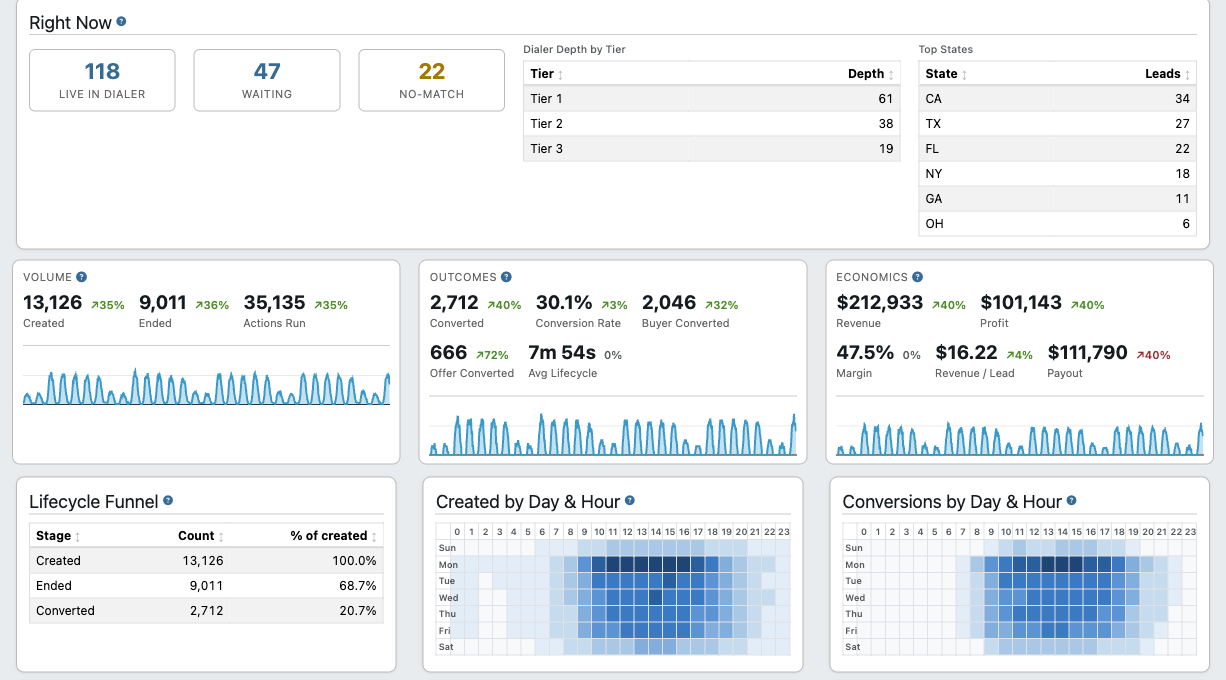
The Lead Automation dashboard turns your automated follow-up into live analytics — so you can see exactly what your schedules are producing.
- Volume & outcomes — leads created, contacted, ended, and converted, with conversion and lifecycle rates
- Economics — revenue, payout, profit, margin, and revenue per lead
- Breakdowns — per offer, schedule, channel, buyer, and agent
- Live queue — a real-time view of the outbound dialer queue, by tier and by state
- Best-time heatmaps — the day-and-hour windows that create and convert the most leads
Volume, outcomes, and economics at a glance. Headline KPIs with period-over-period trends, the lifecycle funnel, and the best day-and-hour windows to reach your leads.
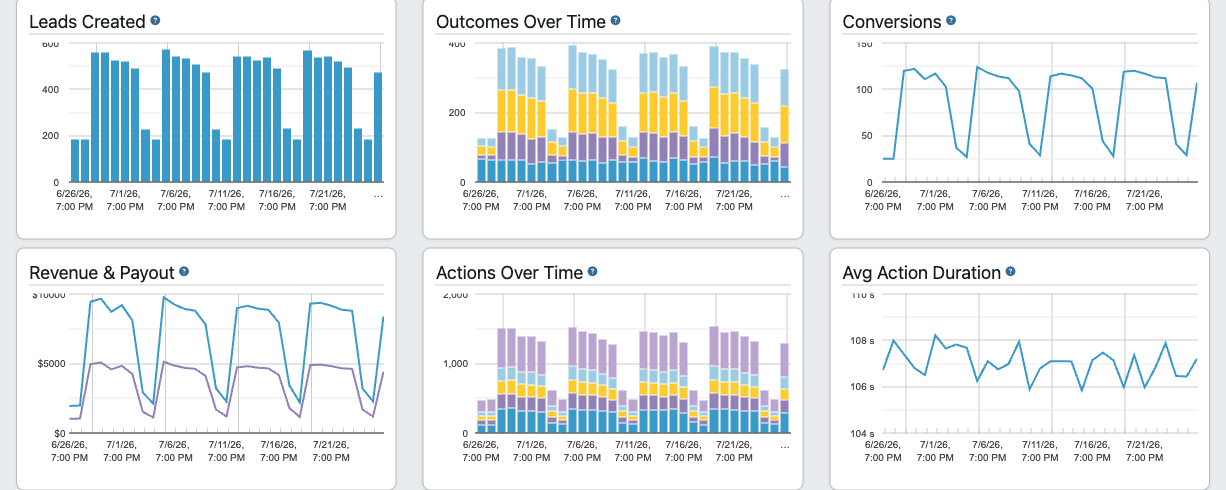
Track performance over time. Created leads, outcomes, conversions, revenue, and automation activity charted across your selected range.
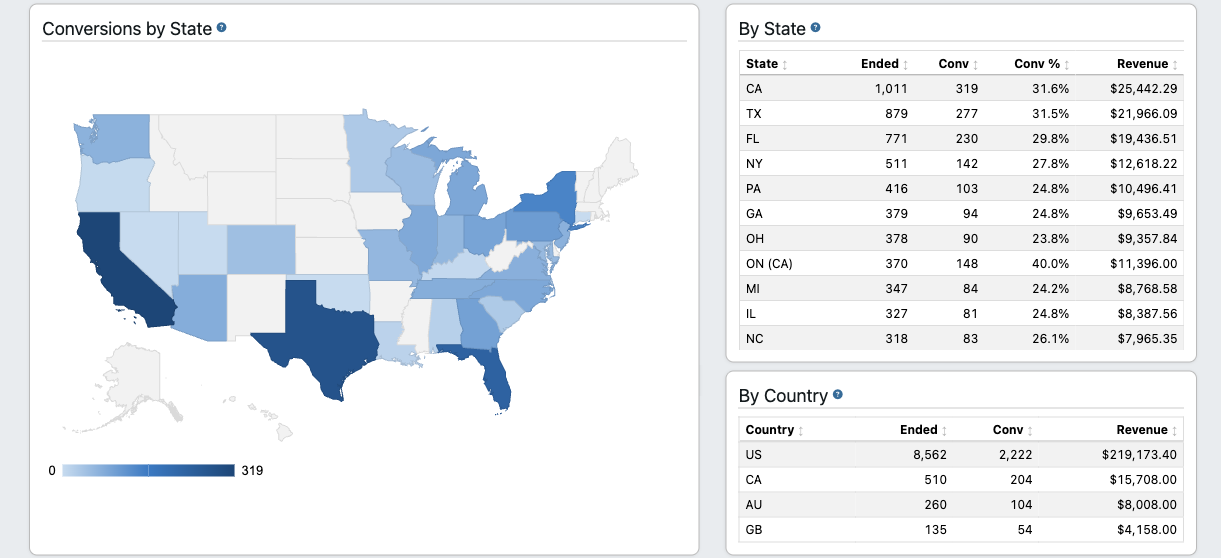
See where your leads convert. Conversions mapped by state, with per-state and per-country breakdowns.